Key Takeaways
- Start with clear goals and choose smart devices that support your daily routines and household needs.
- Building a smart home gradually helps control costs and makes it easier to learn how each device works.
- Smart lighting, plugs, thermostats, and voice assistants are affordable entry points for home automation.
- Security devices such as smart locks, cameras, and video doorbells can improve home monitoring and peace of mind.
- Choosing a compatible smart home ecosystem helps devices work together more smoothly.
- Strong Wi-Fi, regular software updates, and good cybersecurity practices are essential for reliable performance.
- The most effective smart homes focus on convenience, comfort, energy savings, and practical long-term value.
Smart home technology is no longer something found only in luxury homes. Today, homeowners can add smart devices to almost any house, apartment, or condo without spending a fortune. From voice-controlled lighting and smart thermostats to security cameras and automated appliances, smart home systems can make everyday life more convenient, comfortable, and efficient.
However, many people feel overwhelmed when they begin researching smart home technology. With so many products available, it can be difficult to know where to start. Some homeowners worry about costs, while others are unsure which devices will actually improve their daily routines.
The good news is that creating a smart home does not require buying every available gadget. The best smart homes are designed around the homeowner’s lifestyle, needs, and budget. By choosing the right devices and adding them gradually, anyone can create a smart home that delivers meaningful benefits without unnecessary expenses.
This guide explains how to set up a smart home that fits your lifestyle and budget while helping you make informed decisions about automation, security, comfort, and energy efficiency.
What Is a Smart Home?
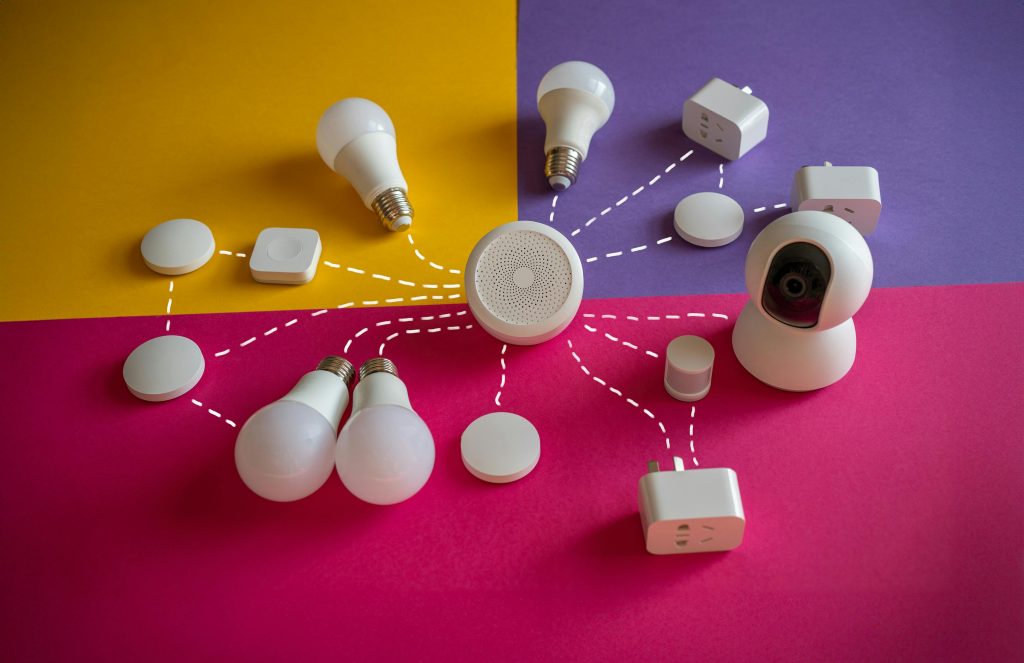
A smart home uses internet-connected devices that can communicate with each other and be controlled remotely.
These devices often connect through:
- Wi-Fi
- Bluetooth
- Smart hubs
- Mobile apps
Smart home systems allow homeowners to:
- Automate tasks
- Monitor their homes remotely
- Improve energy efficiency
- Enhance security
- Increase convenience
The goal is to simplify daily life while improving comfort and functionality.
Start by Identifying Your Goals
Before buying any devices, determine what you want your smart home to accomplish.
Ask yourself:
- Do I want better security?
- Do I want to save energy?
- Do I want more convenience?
- Do I want easier home management?
Your goals will help guide purchasing decisions.
Without a clear plan, it is easy to buy devices that provide little real value.
Focus on Lifestyle Needs
Every household has different priorities.
Busy Families
May benefit from:
- Smart locks
- Video doorbells
- Automated lighting
Remote Workers
May prefer:
- Smart thermostats
- Automated window coverings
- Voice assistants
Frequent Travelers
Often prioritize:
- Security cameras
- Smart alarms
- Remote monitoring
Choosing devices based on actual needs creates a more useful smart home.
Set a Realistic Budget
Smart home technology is available at many price points.
Before shopping, determine:
- Total budget
- Monthly subscription limits
- Future upgrade plans
A budget helps prevent overspending and encourages thoughtful purchases.
Remember that building a smart home can happen gradually over time.
Start Small
Many homeowners make the mistake of trying to automate everything at once.
Instead, begin with a few devices that offer immediate benefits.
Popular starter devices include:
- Smart speakers
- Smart plugs
- Smart bulbs
- Video doorbells
These products are generally affordable and easy to install.
Starting small also provides an opportunity to learn how smart home systems work.
Choose a Smart Home Ecosystem
A smart home ecosystem is the platform that connects devices.
Popular ecosystems include:
- Amazon Alexa
- Google Home
- Apple HomeKit
Choosing one primary ecosystem often improves compatibility and simplifies management.
Consider:
- Existing devices
- Preferred voice assistant
- Future expansion plans
A consistent ecosystem usually creates a smoother user experience.
Install Smart Lighting
Smart lighting is one of the easiest ways to begin home automation.
Benefits include:
- Remote control
- Scheduling
- Energy savings
- Convenience
Smart Lighting Options
- Smart bulbs
- Smart switches
- Smart dimmers
You can control lights through:
- Mobile apps
- Voice commands
- Automation schedules
Smart lighting often delivers noticeable benefits immediately.
Use Smart Plugs
Smart plugs allow traditional devices to become part of a smart home system.
Examples include:
- Lamps
- Fans
- Coffee makers
- Holiday decorations
Smart plugs offer:
- Scheduling
- Remote control
- Automation
They are often among the most affordable smart home products available.
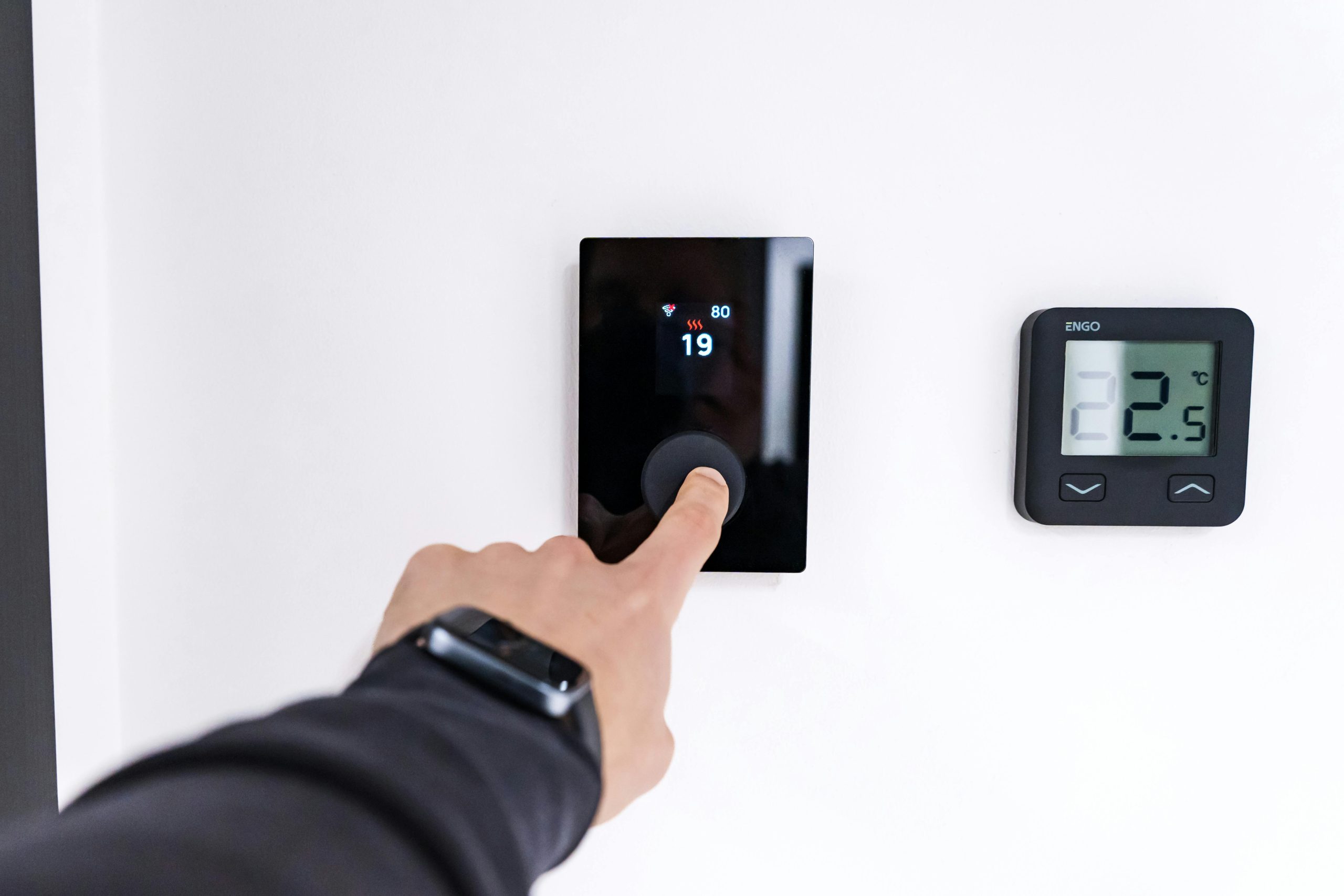
Upgrade to a Smart Thermostat
Heating and cooling usually account for a large portion of household energy use.
Smart thermostats help homeowners:
- Reduce energy waste
- Improve comfort
- Monitor usage
Many models learn household routines and adjust temperatures automatically.
Benefits may include:
- Lower utility bills
- Better temperature control
- Remote access
Smart thermostats often provide one of the best returns on investment.
Improve Home Security
Security is one of the most popular reasons homeowners invest in smart technology.
Smart Security Devices
- Video doorbells
- Security cameras
- Motion sensors
- Smart locks
- Alarm systems
These devices allow homeowners to monitor their property from almost anywhere.
Many systems also send alerts when unusual activity occurs.
Install Smart Locks
Smart locks eliminate many common key-related problems.
Benefits include:
- Keyless entry
- Temporary guest access
- Remote locking
- Activity tracking
Smart locks can be especially useful for:
- Families
- Rental properties
- Frequent travelers
Many models integrate with larger smart home systems.
Consider Smart Cameras
Smart cameras provide additional peace of mind.
Popular camera locations include:
- Front doors
- Driveways
- Backyards
- Garages
Features often include:
- Motion detection
- Night vision
- Two-way communication
- Cloud storage
Choose cameras that fit your privacy preferences and security goals.
Add Voice Control
Voice assistants make smart homes easier to use.
Common voice commands include:
- Turning lights on and off
- Adjusting temperatures
- Playing music
- Checking weather
Voice control can be especially helpful when:
- Cooking
- Cleaning
- Multitasking
It adds convenience without requiring physical interaction.
Automate Daily Routines
Automation is one of the biggest advantages of smart homes.
Examples include:
- Lights turning on at sunset
- Thermostats adjusting automatically
- Doors locking at night
- Coffee makers starting in the morning
Automation saves time and reduces the need for repetitive tasks.
Improve Energy Efficiency
Many smart devices help reduce energy consumption.
Examples include:
- Smart thermostats
- Smart lighting
- Energy-monitoring plugs
- Automated shades
Reducing energy waste can lower monthly utility bills.
Energy-efficient automation often pays for itself over time.
Create Smart Lighting Scenes
Lighting scenes allow multiple lights to work together.
Examples include:
Movie Night
- Dimmed lights
- Closed shades
Bedtime
- Hallway lights on
- Bedroom lights dimmed
Morning Routine
- Gradual lighting increase
Scenes improve convenience and create customized experiences.
Think About Internet Reliability
Smart homes depend heavily on internet connectivity.
Before adding multiple devices:
- Evaluate Wi-Fi coverage
- Upgrade routers if needed
- Consider mesh Wi-Fi systems
Strong internet connections improve device performance and reliability.
Protect Privacy and Security
Smart devices collect data and connect to networks.
Protect your smart home by:
- Using strong passwords
- Enabling two-factor authentication
- Updating software regularly
- Securing Wi-Fi networks
Good cybersecurity practices help reduce risks.
Keep Software Updated
Manufacturers regularly release updates that improve:
- Security
- Performance
- Compatibility
Enable automatic updates when possible.
Updated devices typically function more reliably and securely.
Avoid Overcomplicating Your Setup
A smart home should simplify life, not create frustration.
Avoid:
- Too many apps
- Redundant devices
- Unnecessary automation
Focus on solutions that provide clear benefits.
Simple systems are often easier to maintain and enjoy.
Consider Future Expansion
Even if you start small, think about future growth.
Potential future additions may include:
- Smart appliances
- Automated blinds
- Irrigation systems
- Whole-home audio
Planning ahead helps ensure new devices remain compatible.
Smart Kitchens

Kitchen automation continues to grow in popularity.
Examples include:
- Smart refrigerators
- Voice-controlled displays
- Connected coffee makers
- Smart ovens
Choose kitchen technology that supports your cooking and meal-planning habits.
Smart Bathrooms
Bathrooms can also benefit from automation.
Options include:
- Smart mirrors
- Motion-sensing lighting
- Heated floors
- Smart exhaust fans
These upgrades improve comfort and convenience.
Integrate Smart Devices During Renovations
Home renovations provide an excellent opportunity to install smart technology.
Projects involving:
- Electrical work
- Lighting upgrades
- HVAC improvements
can easily accommodate smart features.
Homeowners organizing a stress free remodel often include automation planning early in the design process because installation is usually easier before walls and finishes are completed.
Balance Cost and Value
Not every smart device provides equal value.
When evaluating purchases, ask:
- Will I use this regularly?
- Does it solve a problem?
- Will it improve convenience?
Prioritize devices that offer meaningful benefits.
This approach helps maximize value while staying within budget.
Learn Before Expanding
After installing initial devices, spend time learning how they work.
Understanding:
- Automation settings
- Device management
- Scheduling features
helps improve the overall experience.
Many homeowners discover additional uses after becoming familiar with their systems.
Maintain Your Smart Home
Smart homes still require maintenance.
Tasks may include:
- Replacing batteries
- Updating software
- Cleaning sensors
- Testing devices
Routine maintenance helps ensure reliable operation.
Avoid Common Smart Home Mistakes
Buying Too Much Too Quickly
Start with essential devices first.
Ignoring Compatibility
Check whether devices work together.
Overlooking Security
Protect networks and accounts.
Forgetting Long-Term Costs
Some devices require subscriptions for full functionality.
Research ongoing costs before purchasing.
Smart Home Benefits Beyond Convenience
A well-designed smart home can offer:
- Increased security
- Improved comfort
- Better energy management
- Enhanced accessibility
- Greater peace of mind
The best systems support daily life rather than adding complexity.
Final Thoughts
Setting up a smart home does not require a large budget or extensive technical knowledge. By identifying your goals, choosing compatible devices, and starting with practical upgrades, you can create a smart home that improves convenience, comfort, security, and efficiency.
The most successful smart homes are built gradually and tailored to the unique needs of the people who live in them. Whether you begin with smart lighting, security devices, thermostats, or voice assistants, each addition can help make everyday life a little easier.
With careful planning and thoughtful purchasing decisions, homeowners can enjoy the benefits of modern automation while staying within their budget and creating a smart home that truly fits their lifestyle.
About the Author